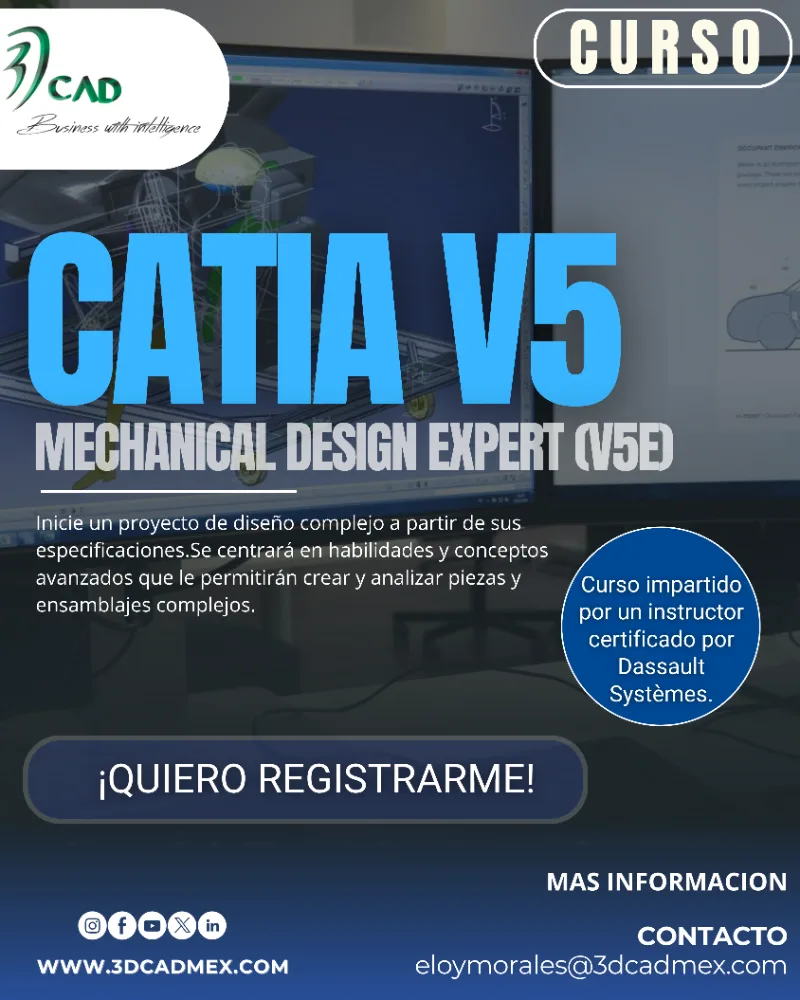
Acerca de este Programa
Objetivo del Programa
Plan de Estudios
01 Introduction
expand_more
01
Introduction - About the Student Guide
- Conventions used in the Student Guide
- Case Study
- Design Intent
- Stages in the Process
- Review the User Interface
- CATIA Workbenches
- Part Design Workbench
- Assembly Design Workbench
- Generative Shape Design Workbench
- Recall the Importance of Parent/Child Relationships
- Design Intent
- Parent/Child Relationships
- Investigating the Model
- What is Define in Work Object?
- Defining in Work Objects
- Organizing a Solid Model
- Model Organization
- Bodies
- Geometrical Sets
- Ordered Geometrical Sets
- Hybrid Design
- Part Design Recommendations
- Case Study: Introduction
- Case Study: Hinge
- Do It Yourself: Hinge
- Case Study: Hinge Recap
- Exercise: Design Intent
- Exercise Illustration
- Open CATIA
- Starting CATIA Using the Start Menu
02 Design Complex parts
expand_more
02
Design Complex parts - Multi-Sections Solid Creation : Coupling
- Coupling : Points of Discontinuity
- Modify Coupling
- Manual Coupling: Displaying Uncoupled Points
- Multi-Sections Solid : Manual Coupling
- Multi-Sections Solid Relimitation
- Exercise: Rib and Slot (Limited Instructions)
- Exercise: Thin Rib (Detailed Instructions)
- Exercise: Multi-Sections Feature (Detailed Instructions)
- Exercise: Rib and Multi-Section Solid (Limited Instructions)
- Create Advanced Drafts
- Introduction
- Creating an Advanced Draft
- Advanced Draft Angle: Draft Both Sides
- Advanced Dress-Up Features
- Introduction
- What is Thickness?
- Creating Thickness
- Ignoring Faces While Creating Thickness
- Reset Ignored Faces Option for Thickness Tool
- Remove Faces
- Replace Face
- Exercise: Geometry Replace (Detailed Instructions)
- Do it Yourself
- Exercise: Solid Combine and Advanced Draft (Detailed Instructions)
- Exercise: Advanced Draft (Limited Instructions)
- Use the Multi-Body Method
- What is Multi-Body Method?
- Using the Multi-Body Method
- What Are the Boolean Operations?
- Boolean Operation: Assemble
- Boolean Operation: Add
- Boolean Operation: Remove
- Boolean Operation: Intersect
- Boolean Operation: Union Trim
- Boolean Operation: Removing Lump
- Replacing a Body
- Changing the Boolean Operation Type
- Recommendations for Working with Boolean
- Create Multi-Model Links
- What Are Multi-Model Links?
- Establishing Multi-Model Links
- Paste Special
- Managing Multi-Model Links
- To Sum Up
- Exercise: Multi-Body Work (Detailed Instructions)
- Exercise: Multi-Body Work (Limited Instructions)
- Do it Yourself
- Case Study: Design Complex Parts
- Do It Yourself: CD Jewel Case
- Case Study: Jewel Case Recap
03 Surface Design
expand_more
03
Surface Design - Case Study: Surface Design
- Design Intent
- Stages in the Process
- Access the Generative Surface Design Workbench
- Introduction to Surface Design
- The Generative Shape Design Workbench
- Accessing the Surface Design Workbench
- Surface Design Workbench User Interface
- Surface Design Workbench Terminology
- Geometrical Set Vs Ordered Geometrical Set
- Hybrid Design
- Surface Design Workbench General Process
- Create the Reference Geometry
- What is a Reference Geometry?
- Creating Reference Geometry
- Create an Axis System
- Importance of a Continuous Curve
- Why Do You Need Curves?
- Creating Curves
- Exercise: Complex Wireframe Creation (Detailed Instructions)
- Do it Yourself
- Exercise: Splines, Circles and Projections (Detailed Instructions)
- Do it Yourself
- Create the Basic Surface Geometry
- Why Create Surface Geometry?
- Creating an Extruded Surface
- Creating a Surface of Revolution
- Creating a Sphere
- Creating a Cylinder Surface
- Create the Complex Surface Geometry
- Computation of Sweep
- Creating Swept Surface – Explicit Subtype
- Creating a Swept Surface – Reference Surface Option
- Creating a Swept Surface – Second Guide
- Creating a Swept Surface - Spine
- Creating a Swept Surface – Relimiters
- Creating an Offset Surface
- Creating a Fill Surface
- Creating a Blend Surface
- Blend Surface: Curves Orientation
- Blend Surface: Coupling points
- Creating a Multi-Sections Surface
- Exercise: Simple Surfaces (Detailed Instructions)
- Do it Yourself
- Exercise: Sweep and Blend (Detailed Instructions)
- Do it Yourself
- Exercise: Sweep and Fill (Detailed Instructions)
- Do it Yourself
- Perform Operations on Surfaces
- Why Are Operations on Geometry Needed?
- Why Do You Need Joining Elements?
- Joining Elements
- Joining Elements – Exclude Sub-Elements
- Healing Elementsç
- Splitting Elements - Introduction
- Splitting Elements
- Trimming Elements - Introduction
- Trimming Elements
- Why Use Fillets?
- Fillet Extremities
- Creating a BiTangent Shape Fillet
- Creating an Edge Fillet
- Creating a Variable Radius Fillet
- Creating a Face-To-Face Fillet
- Creating a Tritangent Fillet
- Extrapolating Elements - Introduction
- Extrapolating Elements
- Transformations
- Boundary Curves
- Creating Boundary Curves
- Extracting an Edge from a Surface
- Extracting a Face from a Surface
- Solidify the Model
- Why Complete the Geometry in Part Design?
- How Can Solids be Created or Manipulated by Surfaces?
- Splitting Body with Surface
- Thickening a Surface
- Closing a Surface into a Body
- Sewing Surface into a Body
- Exercise: Join, Trim and Transformations (Detailed Instructions)
- Do it Yourself
- Exercise: Join, Trim and Close Surface (Limited Instructions)
- Do it Yourself
- Exercise: Join, Trim and Fillet (Detailed Instructions)
- Do it Yourself
- Case Study: Surface Design
- Do It Yourself: Model of Computer Mouse
- Case Study: Surface Design Recap
- To Sum Up
04 Analyze and Annotate Parts
expand_more
04
Analyze and Annotate Parts - Case Study: Analyze and Annotate Parts
- Design Intent
- Stages in the Process
- Analyze the Part
- Introduction to Part Analysis
- Thread and Tap Analysis
- Analyzing Threads and Taps
- Draft Analysis
- Analyzing Drafts
- Curvature Analysis
- Performing a Surfacic Curvature Analysis
- Exercise: Curvature Analysis (Detailed Instructions)
- Do it Yourself
- Exercise: Draft Analysis (Detailed Instructions)
- Do it Yourself
- Create 3D Constraints
- What is a 3D Constraint?
- Why Use a 3D Constraint?
- Creating a 3D Constraint
- Exercise: 3D Constraints (Detailed Instructions)
- Do it Yourself
- Annotate the Part
- Annotations
- Text with Leader
- Creating a Text with Leader
- Modifying a Text with Leader
- Flag Note with Leader
- Creating a Flag Note with Leader
- Using a Flag Note with Leader
- Modifying a Flag Note with Leader
- Repositioning 3D Annotations
- Exercise: 3D Annotations (Detailed Instructions)
- Case Study: Analyze and Annotate Parts
- Case Study: Analyze and Annotate Parts Recap
05 Sharing Information
expand_more
05
Sharing Information - Case Study: Sharing Information
- Design Intent
- Stages in the Process
- Create a PowerCopy
- What Is a PowerCopy?
- Creating a Power Copy
- PowerCopy Tools
- Saving a PowerCopy
- Saving a PowerCopy in a Catalog
- Instantiating a PowerCopy
- Instantiating a PowerCopy from a Document
- Inserting a PowerCopy from a Catalog
- Difference between a PowerCopy and a User Feature
- Exercise: PowerCopy (Detailed Instructions)
- Do it Yourself
- Exercise: PowerCopy and Catalog (Limited Instructions)
- Do it Yourself
- Create Parameters and Formulas
- Introduction to CATIA V5 Knowledgeware
- Accessing Common Knowledge Tools
- Terminology
- Knowledgeware Settings
- Introduction to Common Knowledge Tools
- What are Parameters?
- Why Use User Parameters?
- Creating a User Parameter with a Single Value
- Creating a User Parameter with Multiple Values
- Editing a User Parameter
- What are Formulas?
- Why Use Formulas?
- Accessing the Formula Editor
- Creating a Formula
- Using Functions in Formulas
- Creating a Formula Which Uses a Function
- Editing a Formula
- Create a Design Table
- What Is a Design Table?
- Why Use a Design Table?
- Creating a Design Table
- Creating a Design Table with an Existing File
- Managing Design Table Associations
- Using a Design Table
- Selecting Parameters
- Filtering Parameters
- Exercise: Design Table (Detailed Instructions)
- Do it Yourself
- Exercise: Design Table and Parameters (Detailed Instructions)
- Create a Catalog
- What is a Catalog?
- Accessing the Workbench
- User Interface
- User Interface: Commands
- Terminology
- Creating a Catalog
- Creating Chapters
- Creating Families
- Creating Keywords
- Creating Components
- Part Family Components
- Adding a Part Family
- Adding a Part Family Component
- Resolving Part Families
- How Do I Resolve a Part Family Component?
- Adding a Link to Another Catalog
- Catalog Browser
- Browsing a Catalog
- Inserting a Component from a Catalog
- Performing Queries
- Exercise: Catalog (Detailed Instructions)
- Do it Yourself
- Exercise: Catalog
- Case Study: Sharing Information
- Do It Yourself: Angle Bracket Catalog
- Case Study: Sharing Information Recap
06 Assembly Design
expand_more
06
Assembly Design - Case Study: Assembly Design
- Design Intent
- Stages in the Process
- Manage the Product Structure
- What are Links Between Components in a Product?
- Why Manage Links?
- The File Desk Command
- Managing Links of a Product Using File Desk
- Re-establishing Broken Links Using the Desk Command
- Accessing Edit Links Command
- Managing Links of a Product Using Edit Links
- What is Generating a CATPart from a Product?
- Generating a CATPart from a product
lock
Plan de Estudios disponible
Regístrate gratis para ver y descargar el plan de estudios completo.
person_add Crear cuenta gratisRequisitos de Ingreso
Perfil de Egreso
Criterios de Evaluación
Inversión
Consultar
calendar_month
Inicio
Inscripciones Abiertas
timelapse
Duración
40 HRS
groups
Cupo
10 estudiantes
workspace_premium
Al finalizar
Diploma
lock
Regístrate para descargar el plan de estudios
Cupo limitado. ¡Reserva tu lugar!

Impartido por
DISEÑO, ANALISIS E INGENIERIA
reviewsReseñas del Curso
0 reseñasDebes iniciar sesión para dejar una reseña.
No hay reseñas todavía. ¡Sé el primero en calificar este curso!
Programas similares
Otros programas de Diseño e ingeniería que podrían interesarte
Diseño e ingeniería
Catia V5 3D Functional Tolerancing and Annotation
DISEÑO, ANALISIS E INGENIERIA
Online
desde A consultar

Diseño e ingeniería
Catia V5 Detail Drafting
DISEÑO, ANALISIS E INGENIERIA
Online
desde A consultar
Diseño e ingeniería
Catia Surface Design
DISEÑO, ANALISIS E INGENIERIA
Online
desde A consultar
Más de DISEÑO, ANALISIS E INGENIERIA
Otros programas ofrecidos por esta organización